The Waymark integration allows you to generate professional video spec spots directly from Leads and Accounts inside ShareBuilder CRM. Once connected, you can create, view, share, and edit Waymark videos without leaving CRM, and each spec spot is automatically logged as an Activity for tracking engagement.
This integration brings video into your normal sales workflow, tying creative concepts directly to real prospects and opportunities.
Video spec spots help you stand out earlier in the sales process and move conversations forward faster. Instead of waiting on creative teams or sending generic examples, you can quickly generate a tailored video concept that gives prospects something tangible to react to.
Using Waymark inside CRM also keeps your data clean and complete. Every generated spec spot is tracked as an Activity, giving you and your manager visibility into engagement and follow-up. The result is less manual work, better storytelling, and stronger alignment between sales activity and creative outreach.
In Waymark
Reach out to the Waymark team to obtain the following required credentials:
Client ID
Client Secret
Signing Key
API Key
In ShareBuilder CRM
From the left navigation, select Options.
Choose Integrations.
Locate the Waymark card.
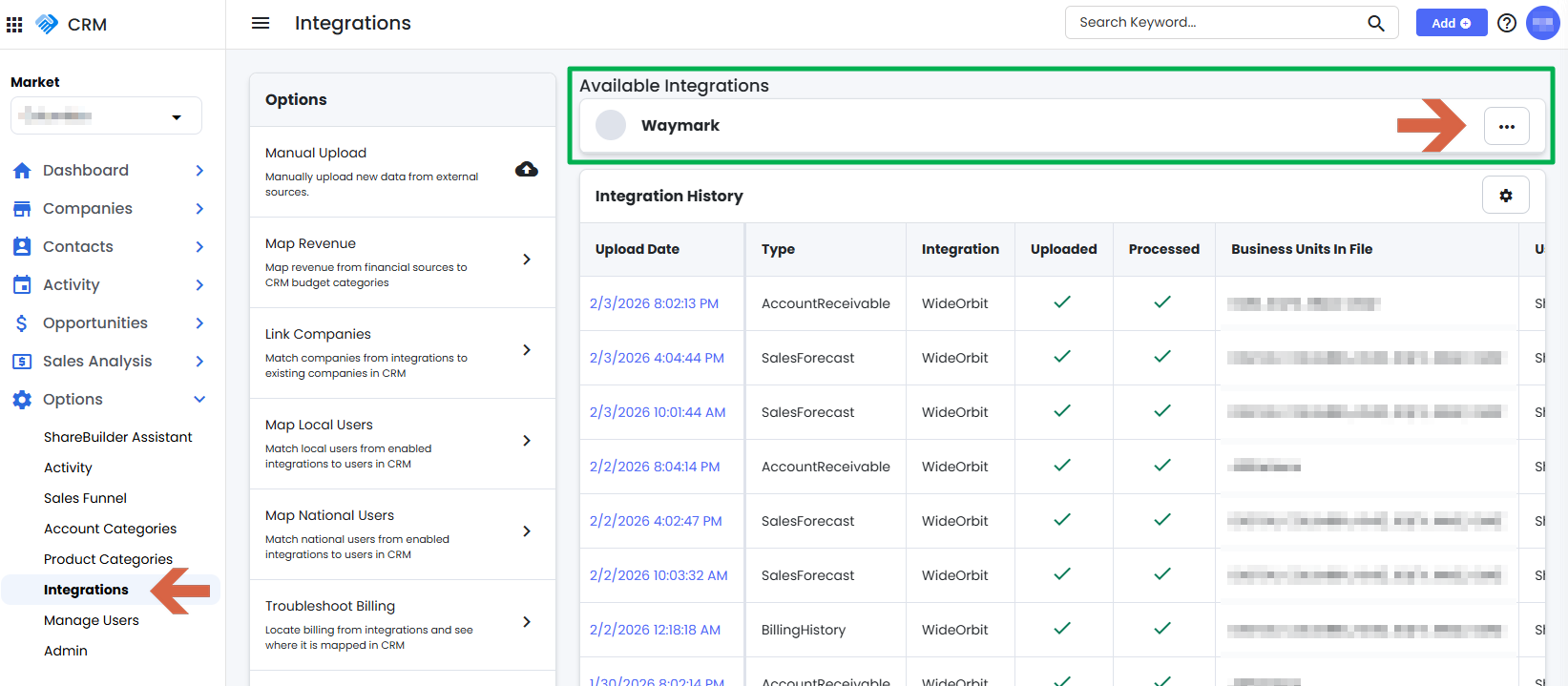
Open the menu on the right side of the card and select Setup.
Enter all required fields and select Submit.
If setup fails, it is most likely due to incorrect credentials. Verify the keys provided by Waymark and try again.
Navigate to any Lead or Account in ShareBuilder CRM.
Open the Actions menu in the top-right corner of the Company Details page.
Select Generate Spec Spot.
Review the popup. No fields are required, but you may customize the request if desired.
Select Submit.
Waymark will begin generating the video.
Open any Lead or Account.
On the right-hand side of the page, locate the Spec Spot card below the Financials card.
Check the Status column to see whether the video is generating, complete, or has an error.
Select the Waymark title to open the video.
Play the video directly in CRM or choose Share/Edit to open it in Waymark.
Every Waymark-generated spec spot automatically creates an Activity in CRM. This allows you to:
Track when spec spots are created and shared
Tie video engagement directly to the Lead or Account
Reference video activity during follow-ups and 1:1 discussions
